
The AUX cable is one of the simplest and most widely used audio connection methods in the world. Even with modern wireless technologies like Bluetooth, AUX cables are still extremely popular because they provide stable sound, zero delay, and universal compatibility.
This guide explains everything about AUX cables in detail, including what they are, how they work, their types, uses, advantages, disadvantages, and how to choose the right one.
Table of Contents
What is an AUX Cable?
An AUX cable, short for auxiliary cable, is a wired audio cable used to transmit sound between two devices. It usually comes with a 3.5mm jack, which is the standard headphone-size connector.
The purpose of an AUX cable is simple: it allows audio to move from one device to another without needing wireless technology.
Common Devices That Use AUX Cables
AUX cables are used in many everyday devices such as smartphones, laptops, car stereos, speakers, headphones, and home theater systems. They act as a bridge between audio sources and output devices.
How Does an AUX Cable Work?
An AUX cable works by carrying analog audio signals between devices. These signals represent sound waves that are transmitted directly through the cable.
Inside the cable, there are separate channels for the left and right audio, which creates stereo sound. Since the transmission is analog, there is no compression or delay involved.
This is why AUX cables are often preferred in situations where real-time, high-quality sound is important, such as gaming or driving.
Types of AUX Cables
AUX cables come in different forms depending on the devices being connected. Each type serves a specific purpose.
3.5mm to 3.5mm AUX Cable
This is the most common type of AUX cable. It has identical connectors on both ends and is widely used for connecting smartphones, laptops, and portable speakers. It is especially popular in car audio systems where users plug their phones directly into the stereo.
3.5mm to RCA AUX Cable
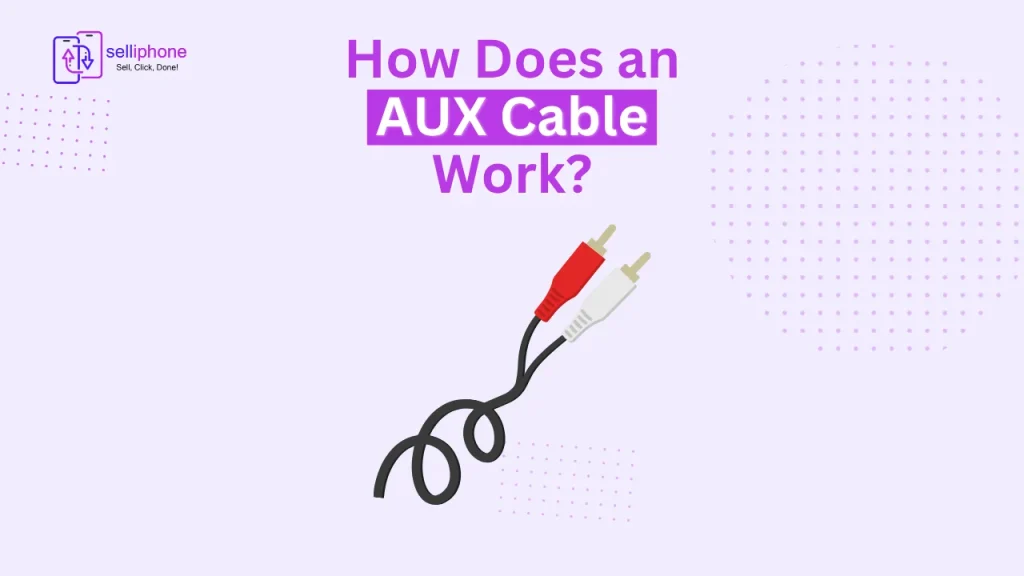
This type converts a 3.5mm headphone output into red and white RCA connectors. It is mostly used in home theater systems, amplifiers, and older audio devices that do not support direct 3.5mm input.
3.5mm to 6.35mm AUX Cable
This version is designed for professional audio equipment. It is commonly used with electric guitars, mixers, studio monitors, and sound systems where larger connectors are required.
USB-C and Lightning to AUX Adapters
Modern smartphones often do not include headphone jacks. In such cases, adapters are used to convert USB-C or Lightning ports into AUX connections, allowing users to still connect wired headphones or speakers.
Uses of AUX Cable in Daily Life
The AUX cable remains highly relevant because of its wide range of practical uses.
Car Audio Systems
One of the most common uses of AUX cables is in cars. Users connect their smartphones to the car stereo to play music, podcasts, or navigation audio directly through the speakers.
Home Audio Systems
AUX cables are widely used in home entertainment setups. They connect TVs, soundbars, and speakers to provide better and clearer audio output.
Computers and Gaming
Gamers and content creators use AUX cables for low-latency audio. Unlike Bluetooth, there is no delay, making it ideal for gaming, streaming, and video editing.
Professional Audio Equipment
In studios and live setups, AUX cables are used to connect instruments, mixers, and audio interfaces. Their stable signal transmission makes them reliable for professional use.
AUX Cable vs Bluetooth
AUX cables and Bluetooth both serve the same purpose—audio transmission—but they work differently and have distinct advantages.
Sound Quality
AUX cables transmit uncompressed analog audio, which results in stable and consistent sound. Bluetooth compresses audio data, which may slightly reduce quality depending on the codec used.
Latency (Audio Delay)
A major advantage of AUX cables is zero delay. Bluetooth, on the other hand, may introduce a slight delay, especially noticeable in gaming or video playback.
Convenience and Mobility
Bluetooth is wireless and more convenient for movement, while AUX cables require a physical connection.
Power Consumption
AUX cables do not require power, whereas Bluetooth consumes battery from both devices.
Overall, AUX cables are better for quality and performance, while Bluetooth is better for wireless convenience.
Advantages of AUX Cable
The AUX cable remains popular because of its simplicity and performance. It provides instant connectivity without pairing or setup. It is widely compatible with almost all audio devices and delivers stable, high-quality sound without delay. It is also affordable and easy to replace, making it a practical choice for everyday use.
Disadvantages of AUX Cable
Despite its benefits, AUX cables also have limitations. They restrict movement because of the physical wire and can become damaged over time due to bending or twisting. Additionally, many modern smartphones no longer include headphone jacks, requiring adapters for use. Unlike wireless systems, AUX cables also lack advanced features such as app control or smart connectivity.
How to Choose the Best AUX Cable
Selecting the right AUX cable depends on your usage and device compatibility.
Cable Length
Short cables are ideal for portable devices like phones and small speakers, while longer cables are better for home or car setups where distance matters.
Build Quality
High-quality AUX cables often use braided or reinforced materials that improve durability and prevent tangling. Cheaper cables may wear out faster.
Connector Type
Some AUX cables come with gold-plated connectors, which help reduce signal loss and improve durability. Standard connectors are more affordable but may not last as long.
Compatibility
It is important to check whether your devices support TRS (audio only) or TRRS (audio plus microphone) connections before buying.
Common AUX Cable Problems and Solutions
One common issue is no sound output, which usually happens due to loose connections or incorrect ports. In some cases, only one side of the audio may work, which often indicates internal cable damage.
Static noise can also occur if the connector is dirty or the cable is of low quality. Cleaning the ports or replacing the cable usually solves the issue. Loose connections are another common problem and can be fixed by ensuring a proper fit or replacing worn-out connectors.
AUX Cable Alternatives
As technology evolves, several alternatives to AUX cables have become popular. Bluetooth adapters allow wireless audio streaming from devices without headphone jacks. USB audio interfaces are commonly used in professional setups for better control and sound quality. Wireless transmitters are also available for connecting older devices to modern speakers without cables.
Conclusion
The AUX cable remains one of the most reliable and practical audio connection methods even in 2026. While wireless technology continues to grow, AUX cables still stand out for their simplicity, zero latency, and consistent sound quality.
Whether you are connecting a phone to a car stereo or setting up a home audio system, an AUX cable continues to be a dependable and essential audio solution.
Frequently Asked Questions (FAQs)
Is AUX cable better than Bluetooth?
AUX cables are better in terms of sound quality and zero delay, while Bluetooth is more convenient and wireless.
Does AUX cable support microphone?
Only TRRS AUX cables support microphones. Standard AUX cables are for audio output only.
Why is my AUX cable not working?
It may be due to loose connection, damaged cable, or incorrect device settings.
Can AUX cable improve sound quality?
It does not enhance sound, but it provides stable, uncompressed audio transmission.
Are AUX cables still relevant in 2026?
Yes, they are still widely used in cars, home systems, gaming setups, and professional audio environments.